

Many people assume WhatsApp chats are private and impossible to access without the phone itself. In reality, linked devices, backups, or forgotten sessions can expose messages without the owner noticing. This is why people search for how to see others WhatsApp chats in your phone
Unauthorized access often starts with something simple—an active WhatsApp Web login or a synced account—and the risk is easy to miss until it’s too late.
This article shows the main ways WhatsApp messages can be accessed, how to spot unauthorized access, and how to secure your account. It also explains when and how to read WhatsApp messages on another device responsibly.
- Table Of Contents
- 6 Core Ways: See Others WhatsApp Chats in Your Phone in 60 Seconds
- How to check if someone is reading your WhatsApp?
- How to stop and prevent unauthorized access
- FAQs about how to see others whatsapp chats in your phone
6 Core Ways: See Others WhatsApp Chats in Your Phone in 60 Seconds
Below are the common technical routes to solve the problem of how to see other whatsapp chat in your phone. Each subsection explains the method, why it works, and one or two immediate detection signals you can check if you don’t want your chats to be seen by others.
1 See others whatsapp chats in your phone through linked devices / WhatsApp web / desktop
Someone can link your WhatsApp to another computer or tablet by scanning your QR code. That linked device can show recent messages and act like a second client. It does not always pull a full long history, but it can read new messages as they arrive. If you want to learn how to read whatsapp messages from another device, this is the most common and easiest route for casual snooping.
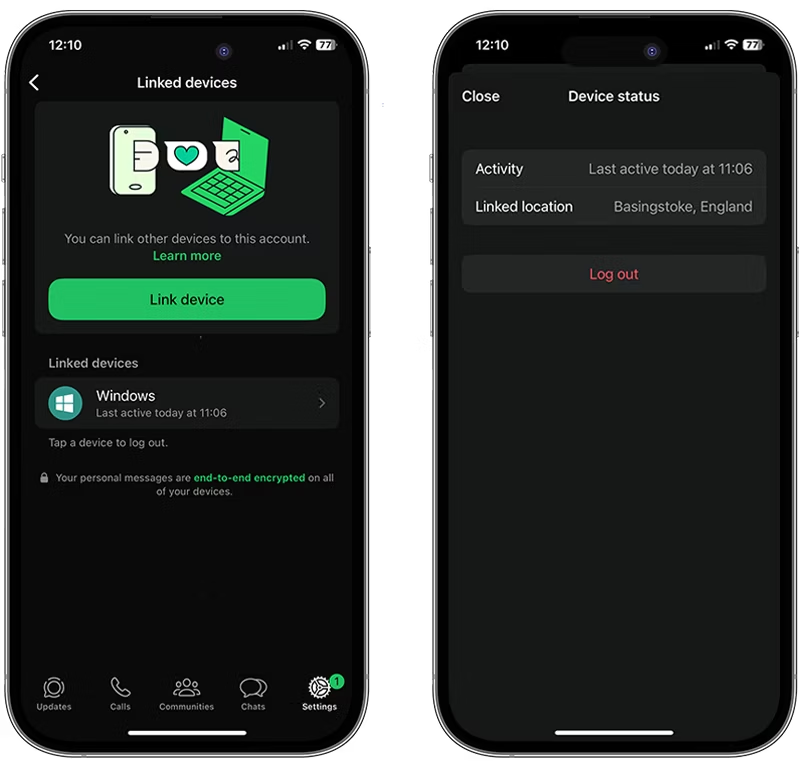
Immediate detection signals you can check right now:
- Open WhatsApp, go to Linked Devices and look for unknown device names or unusual last active times.
- Watch for login notifications or messages marked read when you did not open them.
2 Check WhatsApp chats on another phone through parental WhatsApp monitoring
In family scenarios, parents often need a safe and responsible way to understand what their children are doing on WhatsApp. This is especially common when kids start using smartphones at a young age and communicate with classmates, strangers, or online communities.
With proper legal authority and consent, parental monitoring tools can help guardians stay informed without relying on risky methods like account takeovers or message interception.
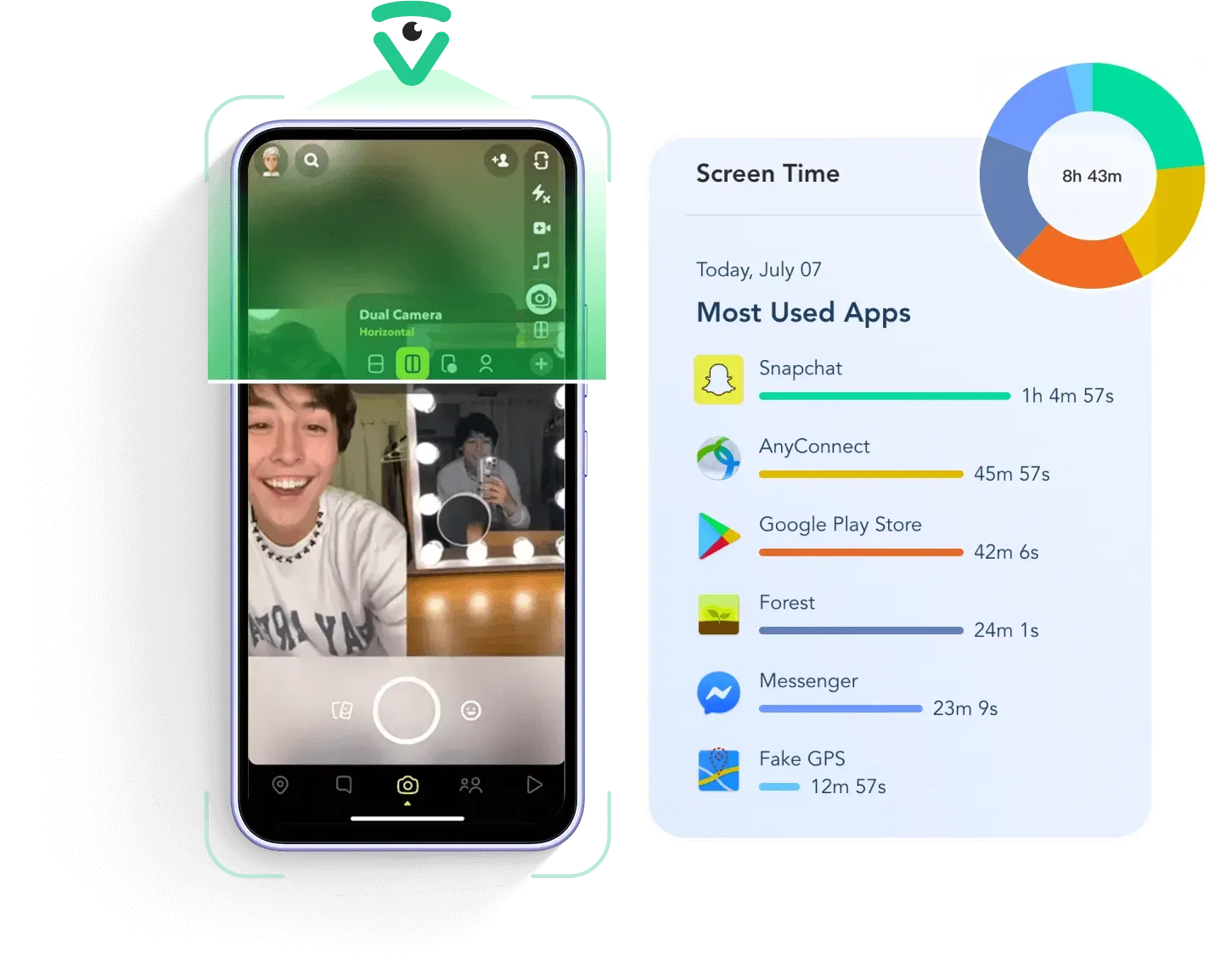
VigilKids is designed for this purpose. It allows parents to view WhatsApp messages, media files, and chat activity on a child’s device after a one-time setup. The goal is not spying, but early awareness — helping parents notice cyberbullying, inappropriate content, or risky contacts before problems escalate.
This approach is fundamentally different from hacking or unauthorized access. It focuses on transparency, guardianship, and digital safety within families.
What can parents see with VigilKids?
- WhatsApp chat messages, shared photos, videos, voice notes, and contact activity on the child’s phone
- Phone calls and SMS messages, including timestamps and contact details
- Live access features such as screen recording, surrounding sound capture, and real-time phone activity
- Location history and real-time GPS tracking to help parents know where their child is
Know more about WhatsApp monitorinbg
3View WhatsApp messages remotely through backups & chat transfer
Cloud backups on Google Drive or iCloud can be read if they are not encrypted or if someone gets your cloud credentials. Chat transfer tools used when you change phones can move full histories to another device. Some free methods like WhatsApp Web let someone view messages temporarily, but backups are a separate and riskier path. If WhatsApp encrypted backups are available for your account, enable them to protect stored history.
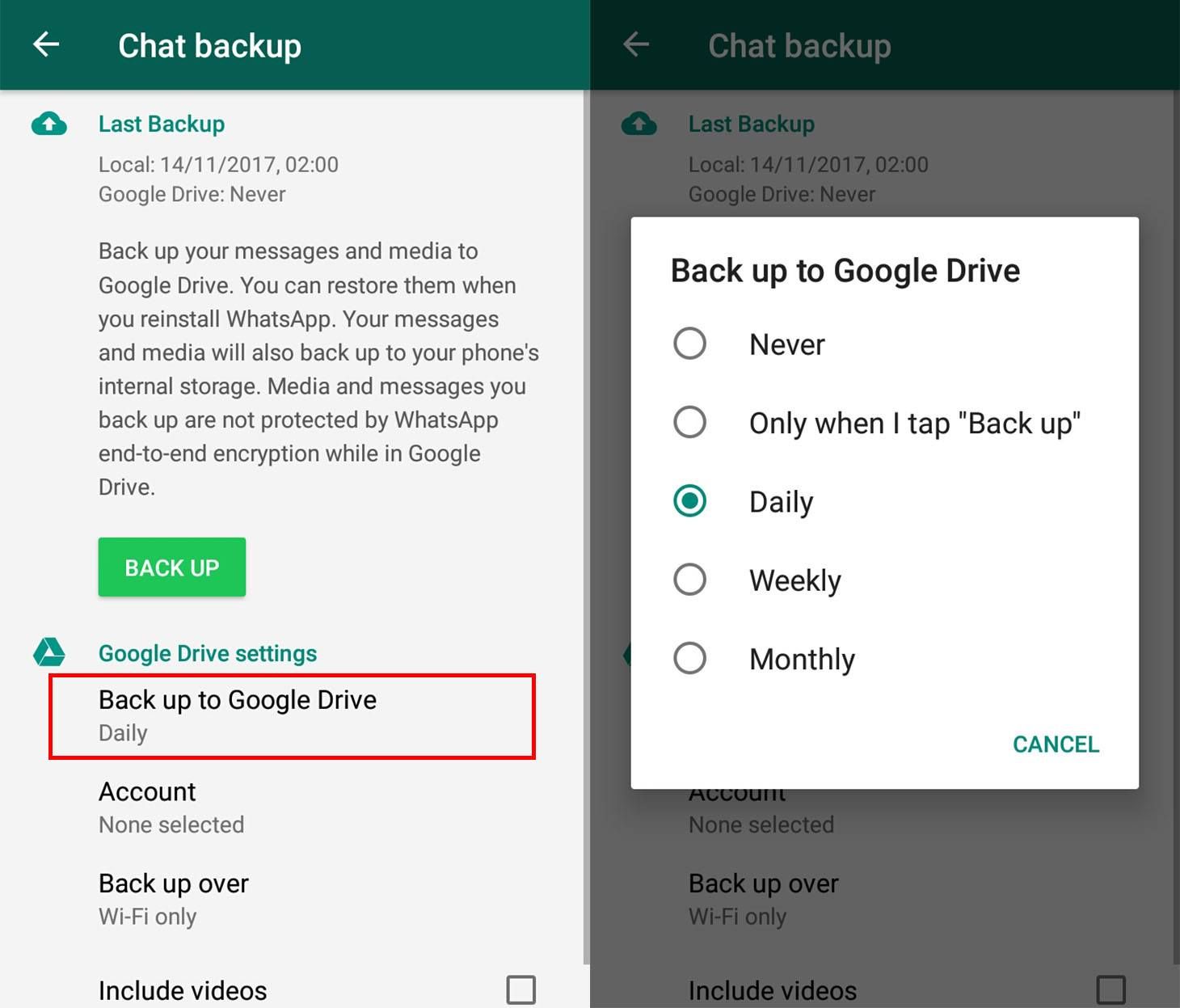
Immediate detection signals:
- Check backup settings for the last backup date in WhatsApp and in your cloud account.
- Look for unexplained devices or sessions in your cloud account activity.
4Read whatsapp messages from another device through export, screenshots and shared files
Anyone with temporary access to your phone can export a chat or take screenshots and then share or upload those files. Media and exported text are how reports and news outlets often get message content. This is a non technical but effective route for leaking private chats and shows why physical control matters when considering how to see other whatsapp chat in your phone.
Immediate detection signals:
- Look in your phone’s recent files or email outbox for exported chat files.
- Check shared folders and social apps for unexpected uploads.
5Read someone else’s WhatsApp through SIM swap, phishing, and account takeover
Attackers who perform a SIM swap or trick you into revealing the SMS verification code can register your number on their device. Once they verify, they can use WhatsApp on another phone. Signs include unexpected OTP messages, sudden logout from WhatsApp, or inability to receive messages. If that happens, treat it as an account takeover and act immediately.
Immediate detection signals:
- Unexpected SMS codes or "Try again later" messages when you try to log in.
- Notifications that WhatsApp was registered on a new device.

How to check if someone is reading your WhatsApp?
If you want a practical checklist to answer questions like how to read whatsapp messages on another device, follow these steps one by one. They are short, easy to copy, and you can do most of them in under five minutes.
Step 1: Check Linked Devices (WhatsApp Web / Desktop)
- Open WhatsApp, tap Settings, then Linked Devices.
- Look at every session name, device type, and last active time.
- If you see anything unknown, tap it and choose Log out.
Step 2: Scan your phone for suspicious apps and permissions
- On Android, go to Settings > Apps to view installed apps and permissions.
- On iPhone, open Settings > General > iPhone Storage to spot unfamiliar apps, and check VPN & Device Management for odd profiles.
- Look for apps with camera, accessibility, or admin/device owner rights, and uninstall anything you do not recognize.
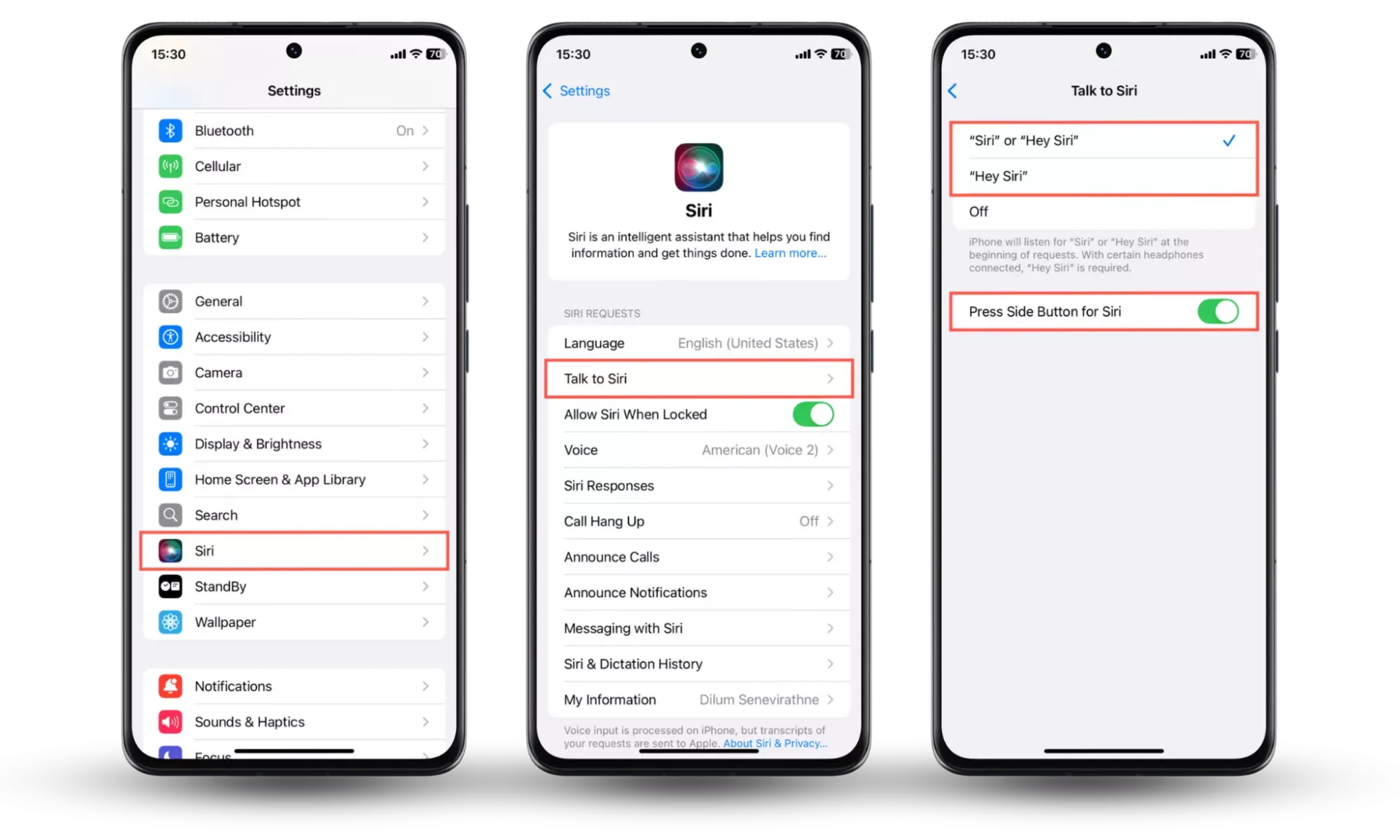
Step 4: Check backups and encryption
- In WhatsApp, go to Settings > Chats > Chat backup and check the last backup date.
- For Google Drive, open the Drive app and check Backups.
- For iCloud, go to Settings > [your name] > iCloud > Manage Storage.
- If backups are not encrypted, someone with your cloud access could read them. Enable encrypted backups if available.
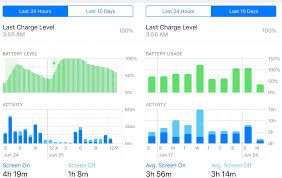
Step 5: Watch battery, data, and unexpected SMS
- Check Battery or Data usage for spikes that match suspicious times.
- Watch for unexpected OTP SMS messages or "verify your account" texts.
- These can signal SIM swap attempts or remote activity.
Do these checks now, then follow the fixes in the next section if you find anything unusual.
How to stop and prevent unauthorized access
If you found something weird, act fast. Below are immediate steps to lock things down, plus habits to keep your account safe long term. I keep these short so you can follow them right away.
Emergency fixes: Do these now
- Log out all linked devices. Open WhatsApp > Settings > Linked Devices. Tap Log out from all devices or individually log out suspicious sessions.
- Secure your account. Turn on Two-step verification in WhatsApp Settings > Account.. Change any passwords tied to your email or cloud storage.
- Cancel or re-encrypt backups. In WhatsApp go to Settings > Chats > Chat backup and remove or reconfigure backups. Check Google Drive or iCloud backup settings and revoke access if you see unknown devices.
- Force other sessions to logout. Reinstalling WhatsApp or registering your number on your phone will prompt other sessions to reauthenticate.
- After doing the above, watch for new login notices and unexpected OTP messages.
These moves stop most casual snoops immediately and are mostly free to do. If you are just exploring how to see others whatsapp chats in your phone free, these steps are the fastest self-help options.
FAQs about how to see others whatsapp chats in your phone
Q1: Can WhatsApp or the media read my chats directly?
A: No. WhatsApp cannot read end to end encrypted chats. Leaks usually come from backups, screenshots, or physical access. Guides like AirDroid explain these common leak routes and how to spot them.
Q2: How do I check Linked Devices?
A: Open WhatsApp, go to Settings, then Linked Devices. Review the device list and last active times. Tap any unknown session and choose Log out. That quickly stops most remote viewers.
Q3: How to see others whatsapp chats in your phone free?
A: Check Linked Devices and recent activity for free. Those steps cover most casual snooping. For continuous monitoring or forensics you may need paid tools or professional help.
Q4: Can I use monitoring apps legally?
A: Sometimes. You may monitor minors you legally care for or devices you own if users were informed. Never install monitoring software on an adult without clear lawful consent or you risk criminal charges.
Q5: What should I do if I find evidence of invasion?
A: Save dated screenshots, export chat logs, note times and device names. Do not erase logs. Contact legal counsel or law enforcement if the breach looks criminal.
Conclusion
You can spot most WhatsApp access issues by checking a few basics: Linked Devices, login alerts, backups, and unusual apps. Logging out unknown sessions, enabling two-step verification, and securing cloud backups already stops most casual access.
If you’re a parent, using a lawful tool like VigilKids lets you stay informed about a child’s WhatsApp activity in a clear, supervised way—without relying on hidden spyware.
Take a few minutes to review your settings now and keep your WhatsApp messages under your control.